



Blog
What Are the 7 Steps to Organize a Home Filing System?

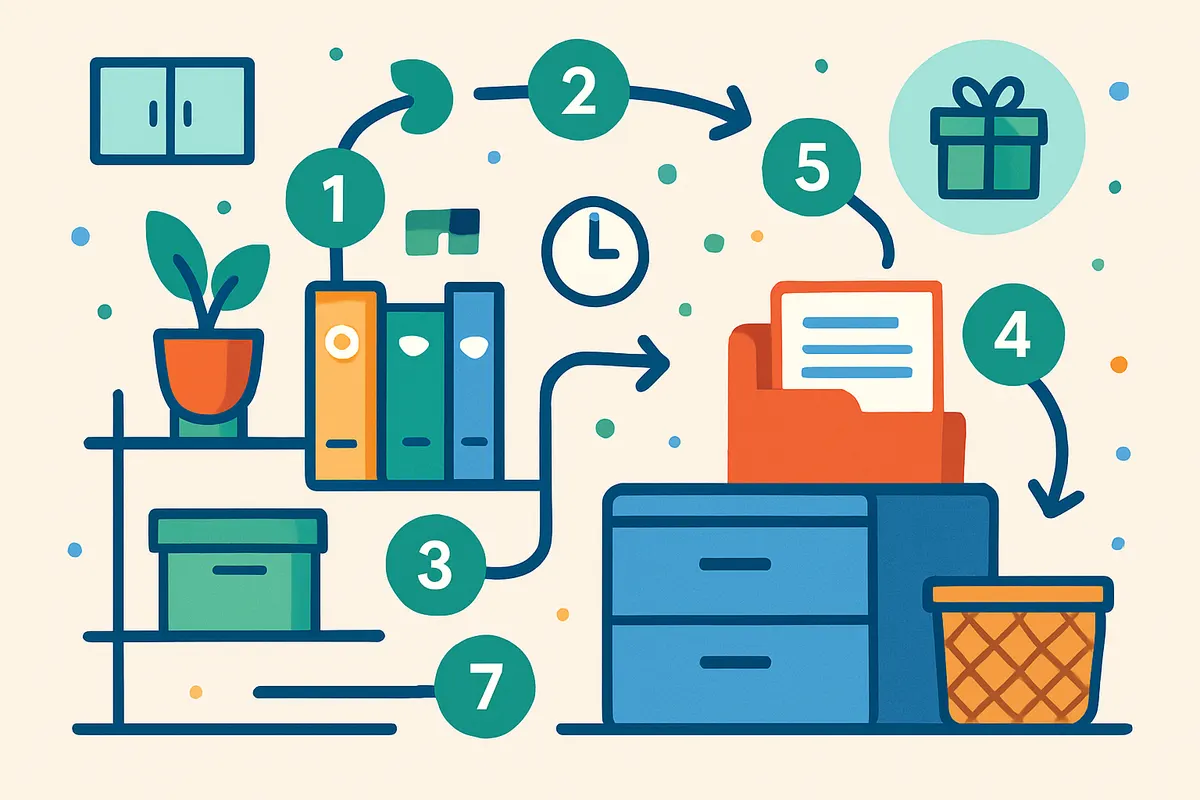
What are the 7 steps to organize a home filing system? It is a practical playbook offering clear actions to reduce clutter and enhance document management. If you’re tired of rummaging through piles of paper and want some sanity back on your desk, this guide is for you. A well-organized filing system isn’t just for businesses—it’s essential for keeping personal affairs in check.
Imagine a world where you can find every important paper without breaking a sweat. From tax documents to appliance warranties, having a reliable system saves time and reduces stress. By following these straightforward steps, you can transform chaos into order, even in the smallest of spaces.
With just a few supplies and a bit of planning, you can make your home filing system work like a charm. Whether you’re a busy professional or a homemaker, these steps simplify your life. Say goodbye to cluttered counters and hello to a more organized home. Let’s explore what are the 7 steps to organize a home filing system efficiently.
What Are the 7 Steps to Organize a Home Filing System?
Having an organized home filing system is essential for reducing stress and improving efficiency in managing household affairs. A well-maintained system allows you to find important documents quickly when needed.
Reduce Stress and Save Time
Tired of scrambling to find a document at the last minute? An organized filing system saves time by making document retrieval swift and straightforward. According to New Mexico State University, gathering all documents in one place is the first crucial step towards an effective filing system. This initial action lays the groundwork for a stress-free management system. No more digging through drawers or piles of paper. Instead, you can enjoy peace of mind knowing exactly where everything is.
Improve Efficiency in Home Management
Efficient home management isn’t just about paying bills on time. It’s about having a clear, reliable system that works with you. According to BirchTree Organizing, categorizing documents under specific labels like “Home”, “Auto”, and “Finances” can significantly streamline household tasks. By setting up logical categories, you reduce the time spent searching for and sorting documents. This means you can focus more energy on other important tasks or simply enjoy your free time.
Ease of Access During Emergencies
Emergencies are unpredictable, but your preparedness doesn’t have to be. Imagine needing a medical record or an insurance document urgently. With an organized system, accessing these crucial documents quickly becomes much easier. Knowing you can retrieve essential paperwork without delay can be a literal lifesaver in emergencies. As noted by Wirecutter, making sure life’s most important documents are organized is vital for any unexpected situation.
Maintain Personal and Financial Security
Keeping sensitive documents secure is paramount in protecting your personal and financial information. By organizing your filing system, you mitigate the risk of misplacing or losing important documents like your social security number or financial statements. Securely storing these documents in an orderly fashion, with labels and categories, ensures you know exactly what you have and where it is at all times. This organization acts as a deterrent against identity theft and financial mishaps.
Promote Long-term Document Preservation
Documents like birth certificates, marriage licenses, or property deeds need to be preserved for the long haul. A well-organized filing system not only helps in immediate document retrieval but also plays a critical role in the preservation of these documents. Using appropriate filing tools, as recommended by Rachel Kinsky, a professional organizer, can help maintain the integrity of your documents over time. Quality folders and labels provide the protection and categorization necessary for long-term storage.
In summary, the importance of an organized home filing system cannot be overstated. It provides peace of mind, ensures efficient home management, and protects your important documents. By investing the time to set up and maintain an organized system, you reap these significant benefits.
Step 1: Gather All Your Documents
Collecting all your documents into one place is the first critical step in organizing your home filing system. This process helps reduce clutter and sets a solid foundation for sorting and categorizing.
Why Gather All Documents?
A centralized location for your documents minimizes stress and enhances efficiency. Scattered papers lead to missed bills, lost important files, and general chaos. According to the New Mexico State University, starting by gathering everything helps streamline the organization process, ensuring nothing gets overlooked (source: New Mexico State University).
Where to Look
To begin, check every possible spot in your home where documents tend to accumulate. This includes kitchen drawers, cabinets, old briefcases, and any scattered boxes. Don’t forget spaces like your car or home office, where papers might lurk unnoticed. The goal is to leave no paper behind.
How to Collect Efficiently
To make this process manageable, work systematically. Start in one room and gather all documents before moving to the next. Use a large box or bin to collect items. This approach prevents scattering papers further and makes for easy transport to your designated sorting area.
What to Include
Ensure you collect all types of documents. This includes but is not limited to:
- Financial statements and bills
- Legal documents (wills, deeds, etc.)
- Insurance policies
- Medical records
- Tax returns
- Receipts and warranties
By including every type of document, you simplify future decisions about what to keep, shred, or digitize.
Benefits of Gathering Everything
Bringing all documents together offers several benefits. It creates awareness about what you have, allowing you to easily identify duplicates or unnecessary items. Professional organizer Rachel Kinsky emphasizes that knowing what you have sets the stage for creating a simple yet efficient filing system (source: Rachel Kinsky).
Setting Up for Success
Once you’ve gathered your documents, you’re ready to transition to the next step — creating clear filing categories. This foundational step ensures that when it’s time to organize, you can focus on sorting efficiently without the distraction of looking for missing papers. By investing time upfront in gathering, you pave the way for a clutter-free, organized home filing system.
Step 2: Create Clear Filing Categories
Creating clear filing categories is essential for an efficient home filing system. Categorizing documents into logical groups like Home, Auto, Finances, and Health enhances retrieval speed and organization.
Why Filing Categories Matter
Clear categories minimize the time spent searching for specific documents. According to BirchTree Organizing, distinct categories like Home, Auto, and Finances help in quickly locating crucial papers. These categories reduce clutter and ensure you can easily find what you need when you need it.
How to Define Your Categories
Start by assessing the types of documents you have. Group them into broad categories that make sense for your lifestyle. Here’s a basic structure to get you started:
- Home: Mortgage, insurance, utility bills, and property taxes.
- Auto: Leases, insurance, and maintenance records.
- Finances: Bank statements, credit card bills, and investment documents.
- Health: Insurance details, medical records, and claims information.
- Taxes: Current and past seven years of tax returns.
- Important Documents: Passports, birth certificates, and wills.
Customizing Your Categories
Everyone’s filing needs are different, so personalize your categories. If you frequently deal with professional documents, consider adding a “Career” category. For families, a “School” section could track report cards and enrollment forms. Keep it simple, but cater to your specific needs.
Benefits of Defined Categories
Setting up these categories streamlines your filing process. It saves time and prevents frustration. The New Mexico State University suggests that having these categories helps in maintaining order. When new documents arrive, you’ll immediately know where they belong.
Implementing Your System
Once categories are chosen, use clearly labeled folders or tabs to keep everything neat. This step is where organization tools shine. Products like hanging file folders and label makers can make this part easy, as recommended by professional organizer Rachel Kinsky. Choose tools that fit your space and style.
By defining and implementing clear filing categories, you create a foundation for a smooth and efficient filing system. Not only does this make document retrieval a breeze, but it also reduces stress and clutter in your home environment. For more detailed guidance and tips, you might find BirchTree Organizing’s advice very helpful.
Step 3: Choose the Right Filing Tools
Choosing the right filing tools is essential for an efficient home filing system. Whether you prefer physical folders or digital solutions, the right tools will make organizing easier and more effective.
Physical Filing Options
One of the most common choices for physical filing is hanging file folders. These are ideal for sorting papers into broad categories. According to Rachel Kinsky from Order in the House, hanging file folders paired with tabs and labels offer a straightforward way to categorize documents. For instance, you might use one drawer for finances and another for personal documents.
When choosing hanging folders, look for durable materials. This ensures they’ll withstand frequent use without tearing. Additionally, consider color-coded folders to quickly identify categories, such as green for finances and blue for personal documents.
Digital Filing Solutions
If you’re leaning toward digital solutions, there are several tools to consider. Digital filing can save physical space and make document retrieval faster. Popular options include cloud storage services like Google Drive and Dropbox, which allow you to access your files from anywhere. According to BirchTree Organizing, these platforms are excellent for backing up important documents and sharing files securely.
Digital filing also offers the advantage of searchability. By using correct file naming conventions, you can find documents quickly without flipping through physical files.
Tools Comparison
Here’s a comparison of popular filing tools to help you decide on the best option for your needs:
| Filing Tool | Pros | Cons |
|---|---|---|
| Hanging File Folders | Easy categorization, tangible | Requires physical space, can be bulky |
| Cloud Storage | Space-saving, accessible anywhere | Needs internet, security considerations |
Maximizing Efficiency and Accessibility
For a truly efficient filing system, consider combining both physical and digital systems. Physical folders are great for items like tax documents that you need to access occasionally. Meanwhile, digital solutions excel at managing frequently accessed files or those you need to share, such as work-related documents.
To make the most of your filing tools, regularly update your systems. This involves clearing out unnecessary files and ensuring everything is correctly categorized. According to New Mexico State University, a periodic review will help maintain order and efficiency in your filing system.
Choosing Tools Based on Needs
Your choice of filing tools should reflect your personal needs and lifestyle. If you are always on the go, a digital system might be more convenient. However, if you prefer something tangible, physical folders could be your best bet. It’s crucial to evaluate your organization style and daily habits when making this decision.
Integrating the right tools into your filing system can radically improve how you manage your documents. By combining functionality with convenience, you can create a system that not only keeps your papers in order but also reduces stress and maximizes productivity. For more guidance, you can explore resources like New Mexico State University and BirchTree Organizing, which offer further detailed strategies for optimizing your home filing system.
Step 4: Label Each Folder Accurately
Labeling folders accurately is crucial because it facilitates quick and stress-free document retrieval. Well-labeled folders make it easy to spot exactly what you need, saving time and reducing frustration.
Why Accurate Labels Matter
Accurate labels serve as the guiding lights in your filing system. Without them, a neatly organized set of folders can quickly turn into a maddening mess. According to BirchTree Organizing, clear labeling is key to maintaining long-term order. When each label accurately reflects its contents, you minimize the time wasted searching through multiple folders, allowing you to find important documents instantly.
Tips for Effective Labeling
When labeling your folders, include both general and specific terms. For example, use “Utilities – Electricity” instead of just “Utilities”. This approach helps by immediately narrowing down the folder’s contents. As suggested by professional organizer Rachel Kinsky (source), you should use consistent vocabulary and avoid abbreviations that might confuse later. Also, always label the tabs with permanent ink to ensure the names stay readable over time.
Choosing the Right Labels
Invest in high-quality label makers or adhesive labels that can withstand frequent handling. Labels that peel off easily can lead to confusion and disorganization. Inexpensive label makers are available and offer a uniform look that keeps your filing system looking tidy and professional. According to New Mexico State University, having a clean, consistent presentation helps maintain a uniform filing system.
Consistent Color Coding
Implementing a color-coded labeling system can further enhance organization. Assign colors to different categories, such as green for financial documents and blue for personal records. This visual cue lets you quickly distinguish between categories, adding another layer of efficiency. The color-coded system is a favorite strategy among professional organizers because it integrates seamlessly with labeled tabs for fast identification.
Regular Label Updates
Ensure that your labels stay current by revisiting them during your regular filing reviews. As documents and responsibilities change, so too should your labels. This might involve updating a label from “2022 Taxes” to “2023 Taxes” or adding a specific subcategory as your filing needs evolve. Keeping labels up-to-date ensures that your system continues to be effective and reflective of your current affairs.
Following these steps in labeling will transform your home filing system into an efficient, reliable tool. Accurate labels not only save you time but also allow you to maintain control over your paperwork, making life’s administrative tasks a breeze. Embrace the power of proper labeling as a cornerstone of your organized home.
Step 5: Select a Secure and Accessible Storage Location
Choose a secure, yet accessible, storage spot for your important documents to ensure they are protected and easy to retrieve when needed. Balancing security with convenience is key to maintaining an efficient and user-friendly home filing system.
Physical Storage Solutions
For physical documents, consider a fireproof and waterproof safe. These safes offer the protection needed for critical papers like birth certificates and wills. Keep the safe in an accessible location, such as a closet or under a desk, so you can reach important documents quickly when necessary. According to New Mexico State University, organizing starts with gathering all your documents, making it easier to prioritize what needs extra protection.
If you have a large volume of less sensitive documents, a filing cabinet might be a better fit. Ensure it has a lock for added security, especially if you rent or have roommates. Choose a filing cabinet that complements your home decor to avoid it becoming an eyesore. Place it in a home office or tucked away in a corner to keep it out of the direct line of sight while still easy to access.
Digital Storage Options
For those inclined towards minimalism or concerned about clutter, digital solutions are a fantastic alternative. Use a cloud storage service, like Google Drive or Dropbox, to store scanned copies of important documents. These services often have security features like two-factor authentication to protect your files. Regularly back up your digital files onto an external hard drive for additional safety.
To streamline this process, invest in a reliable scanner, preferably one with automatic document feeding for bulk scanning. This will save time and ensure that all documents are digitized at high quality. The BirchTree Organizing guide suggests creating filing categories, which can be mirrored digitally to keep everything organized.
Hybrid Storage for Ultimate Flexibility
For optimal peace of mind, consider a hybrid system that combines physical and digital storage. Keep original documents that are legally necessary in a safe, and digitize everything else. This approach ensures that your essential documents are protected while allowing you to access other information conveniently on your devices.
Organizing Life’s Most Important Documents, as noted by Wirecutter, recommends keeping an updated list of what you have stored physically versus digitally. This inventory can be invaluable in emergencies or when updating your files.
Consider Location and Accessibility
When choosing a spot for your physical storage solutions, consider environmental factors like humidity and temperature. Paper documents can deteriorate in damp or overly warm conditions. If you store documents in a basement, use a dehumidifier to protect against moisture.
For digital files, ensure your devices are both secure and easily accessible. Use strong, unique passwords for accounts that store sensitive information. By maintaining accessibility, you ensure that retrieving documents is not a stressful task, keeping your filing system efficient and effective.
Regular Checks and Updates
Finally, regularly check your storage solutions to ensure they are functioning optimally. This means testing digital backups to ensure they are complete and intact, and verifying that safes and cabinets are still secure. Periodic reviews, as recommended by organizing experts, ensure that your system remains reliable and ready for any needs that arise.
By carefully selecting a secure and accessible storage location, you protect your important documents and streamline your home filing system for everyday use.
Step 6: Regularly Review and Update Your System
Regularly reviewing and updating your home filing system ensures it remains efficient and clutter-free. This habit saves time and keeps important documents readily available.
Why Regular Updates Matter
Life is dynamic, and so are your documents. New bills, bank statements, and personal records accumulate quickly. By consistently reviewing your filing system, you prevent it from turning into a chaotic pile again. According to New Mexico State University, a well-maintained filing system reduces stress, as it allows for easy document retrieval when needed.
Set a Review Schedule
Start by setting a specific time each month to review your documents. This consistent schedule prevents backlog and keeps your system current. During each session, discard outdated paperwork, such as old utility bills or past event flyers, and replace them with the latest versions. If monthly maintenance feels daunting, consider quarterly reviews instead to suit your lifestyle better.
Checklist for Reviewing Your System
To make the review process easier, follow this simple checklist:
- Sort through new documents and categorize them appropriately.
- Shred sensitive documents you no longer need.
- Update labels on folders if necessary.
- Reorganize any misfiled items.
- Backup important documents digitally for added security.
Adapting to Life Changes
Major life events like moving, changing jobs, or having a baby require adjustments to your filing system. After such events, assess what new categories you might need or existing ones you should expand. For example, a new job may require additional financial or tax documentation, which should be added promptly to avoid disarray later.
Embrace Digital Solutions
Consider digitizing some of your paperwork to streamline your filing system further. Scanning and storing documents in cloud-based systems like Google Drive or Dropbox enhances accessibility and protects against physical loss. As Wirecutter suggests, digital backups ensure critical documents remain safe even if paper copies are damaged or lost.
Finally, remember that an organized and regularly updated filing system isn’t just about neatness. It’s a practical tool to make life easier. By adopting these habits, you ensure your home filing system works for you, not against you, efficiently handling life’s paperwork demands.
Step 7: Integrating Smart Home Devices for Filing
Integrating smart home devices can revolutionize your filing system by enabling seamless organization and easy access to documents. These devices help digitize paperwork and streamline the filing process, offering both convenience and security.
Digitize Paperwork with Scanners
A smart scanner, like the popular Fujitsu ScanSnap, quickly digitizes your documents. This device allows you to scan papers directly into cloud storage, eliminating physical clutter. Once scanned, documents are encrypted and securely stored, providing peace of mind regarding privacy (source: New Mexico State University – BE BOLD. Shape the Future).
Utilize Cloud Storage for Easy Access
Cloud storage services such as Google Drive or Dropbox make accessing your documents easier than ever. These platforms allow you to organize files into categories similar to physical folders. You can quickly pull up any document from your smartphone, tablet, or PC, whether you’re at home or on the go. Sharing files with family or financial advisors becomes a breeze.
Leverage Virtual Assistants for Organization
Virtual assistants like Amazon Alexa or Google Assistant can be set up to remind you about filing tasks. By setting voice-activated reminders, you can schedule regular reviews of your filing system. This ensures you stay on top of updating important documents and don’t miss critical filing deadlines.
Security with Smart Home Hubs
Smart home hubs, such as Samsung SmartThings, can add an extra layer of security. They allow you to connect devices such as locks and cameras to your filing area. You’ll receive alerts if there’s any unauthorized access, safeguarding sensitive documents.
Embrace Organizational Apps
Using apps like Evernote or Microsoft OneNote can further enhance your organizational system. They allow you to create digital notebooks, tag documents, and even search for text within scanned documents. This setup ensures that vital information is at your fingertips when you need it most.
Incorporating technology into your home filing system not only simplifies the filing process but also ensures your documents are organized and easily retrievable. For more traditional tips on organizing your files, explore guidance from BirchTree Organizing on effective filing categories.
Frequently Asked Questions
What are the benefits of organizing a home filing system?
Organizing a home filing system enhances efficiency by making important documents easily accessible. It reduces clutter and stress, creating a more organized living space. Additionally, it can save time when searching for important paperwork.
How often should I update my filing system?
You should update your filing system at least once a year to ensure it remains relevant and effective. Frequent updates may be necessary if your circumstances change, such as moving or starting a new job. Regular maintenance keeps your system streamlined and functional.
What are the best tools for creating a filing system?
The best tools for creating a filing system include file cabinets, folders, labels, and binders. Digital options like cloud storage and document management software can also be effective. Choose tools that suit your organizational style and space.
Can smart home devices help in organizing a filing system?
Yes, smart home devices can assist in organizing a filing system by offering digital storage solutions and reminders. Smart assistants can help manage tasks and deadlines related to document organization. Additionally, scanning devices can digitize physical documents for easier management.
Make Your Filing System Work for You
By following these seven steps, you can create an efficient home filing system that simplifies your life. Start by sorting your documents and choosing the right tools to keep everything in place. Regular maintenance is key to ensure your system stays organized and functional. Don’t forget to label clearly and store important files in accessible spots. Explore examples of organizational tools to enhance your setup. Invest in the best home organization products that suit your needs. Take action today and transform your cluttered files into a streamlined system. Get ready to enjoy a more organized and stress-free home environment.

